The plan
Tonight, planned, with a reason for every item.
Marlio fits every AP class around your tests, your class and the time you have. Plan opens on tonight, inside your own time; the week and the month are on the same switch.
01
Tonight first, then the week and the month.
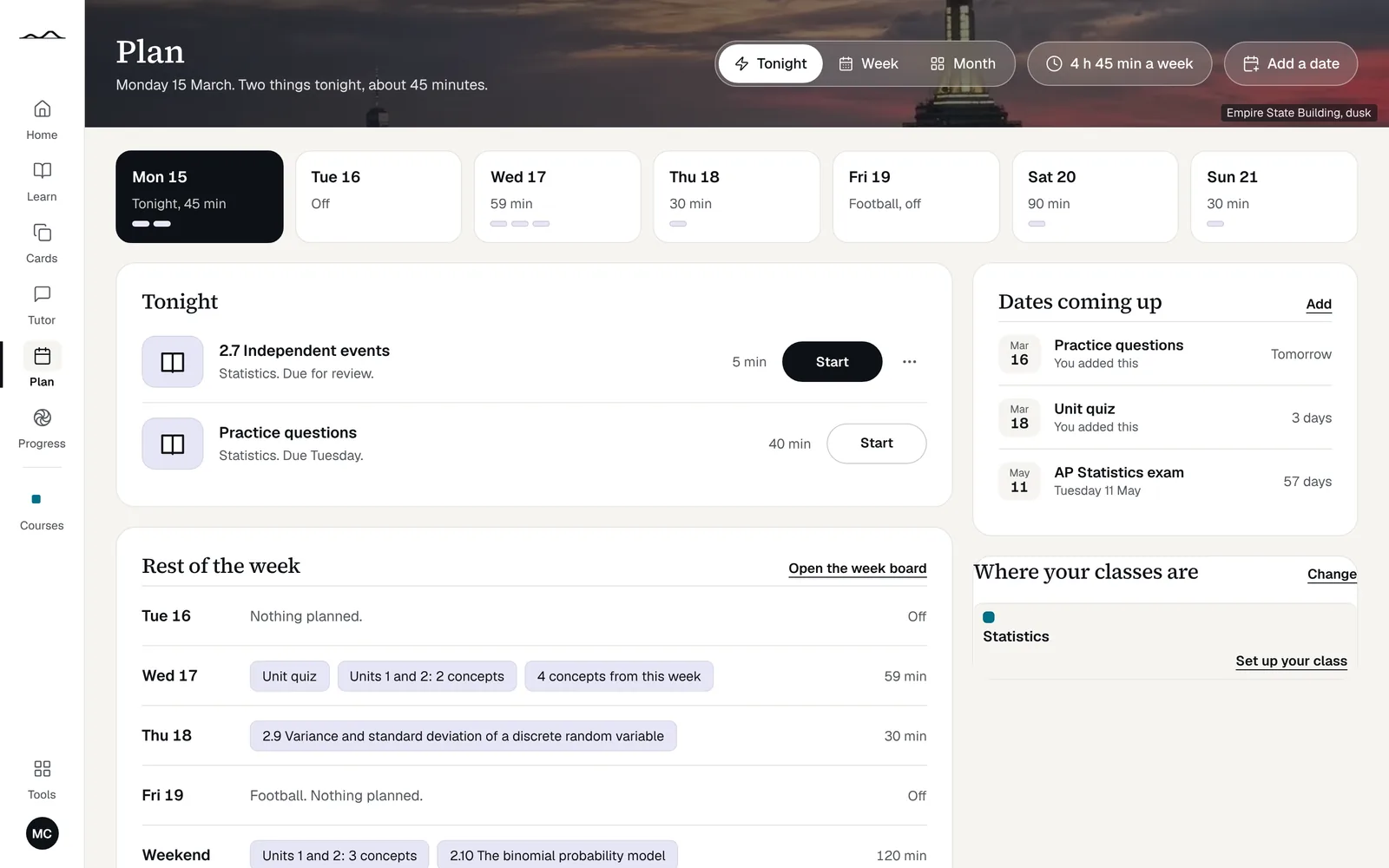
Plan opens on “Tonight”: each thing to do with one reason, from the lesson you are partway through, where your class is, a test or a question you missed, and a Start button.
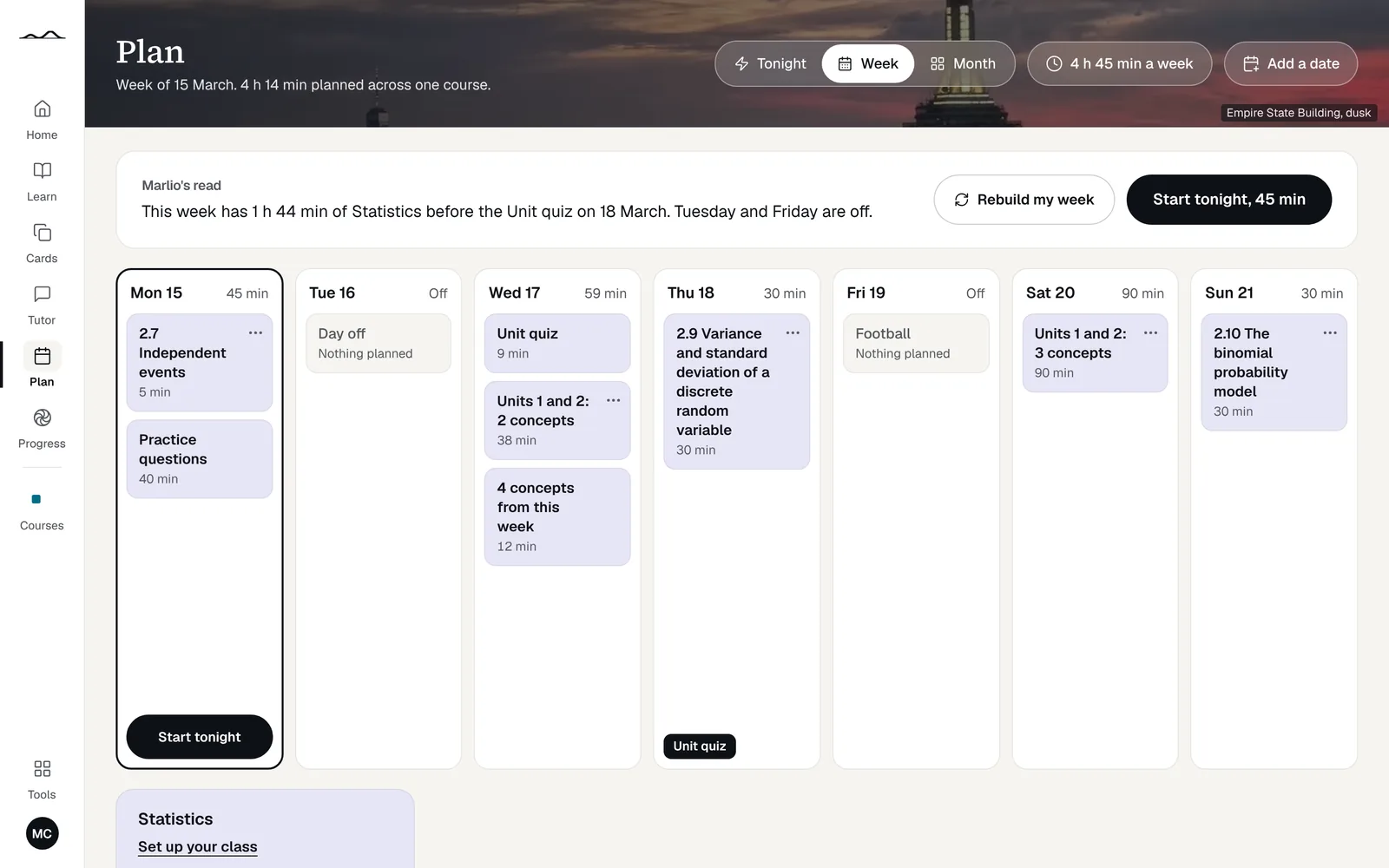
“Week” and “Month” are on the same switch: every planned item in its course colour, and tests and dates in ink.
02
What you miss comes back.
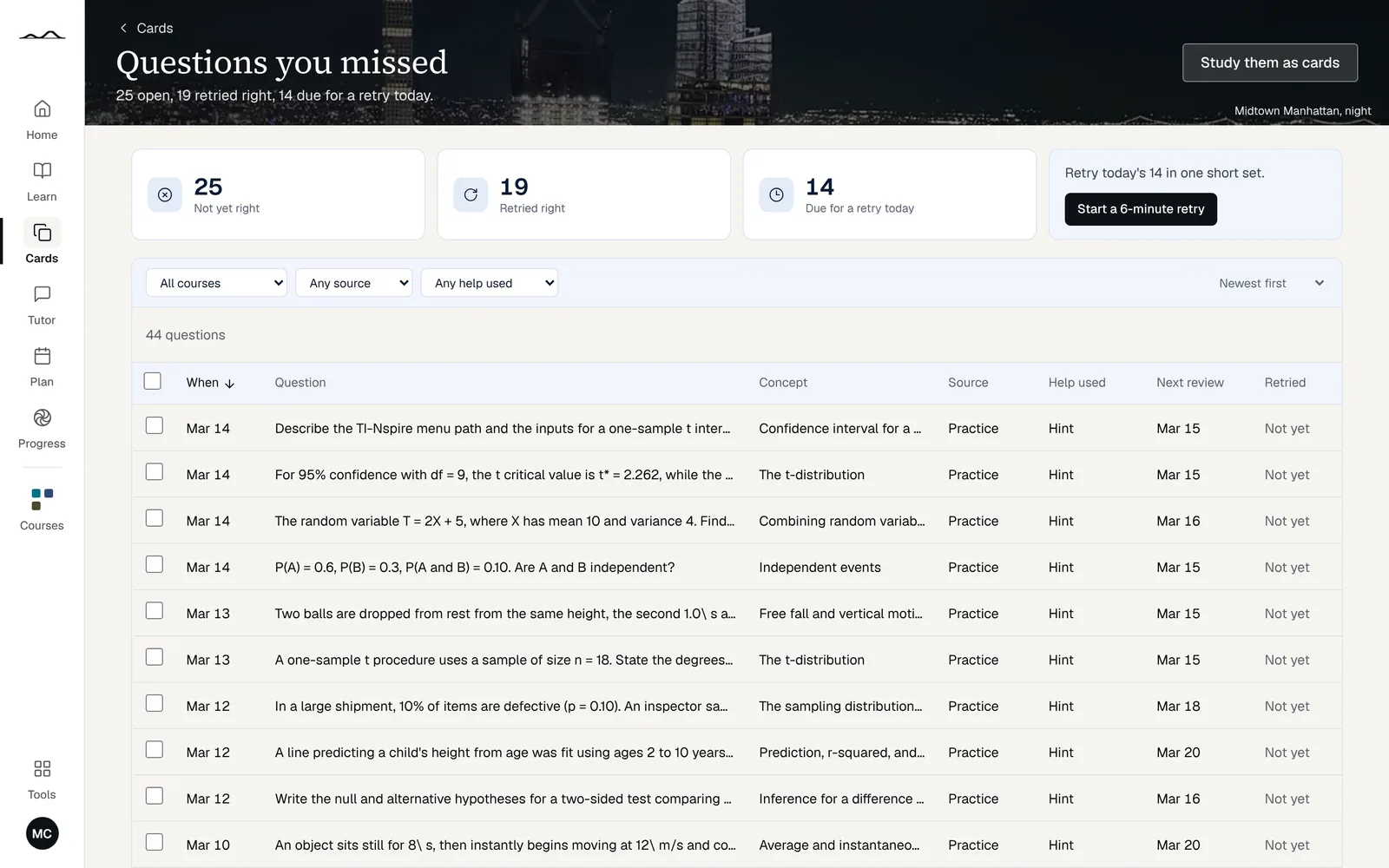
A question you miss is kept in Questions you missed, and its concept comes back in your cards and on tonight’s plan.
Miss a night and Plan fits it into the days ahead. All it says is “Updated to fit”. Nothing counts against you.
03
Tests and homework, inside the plan.
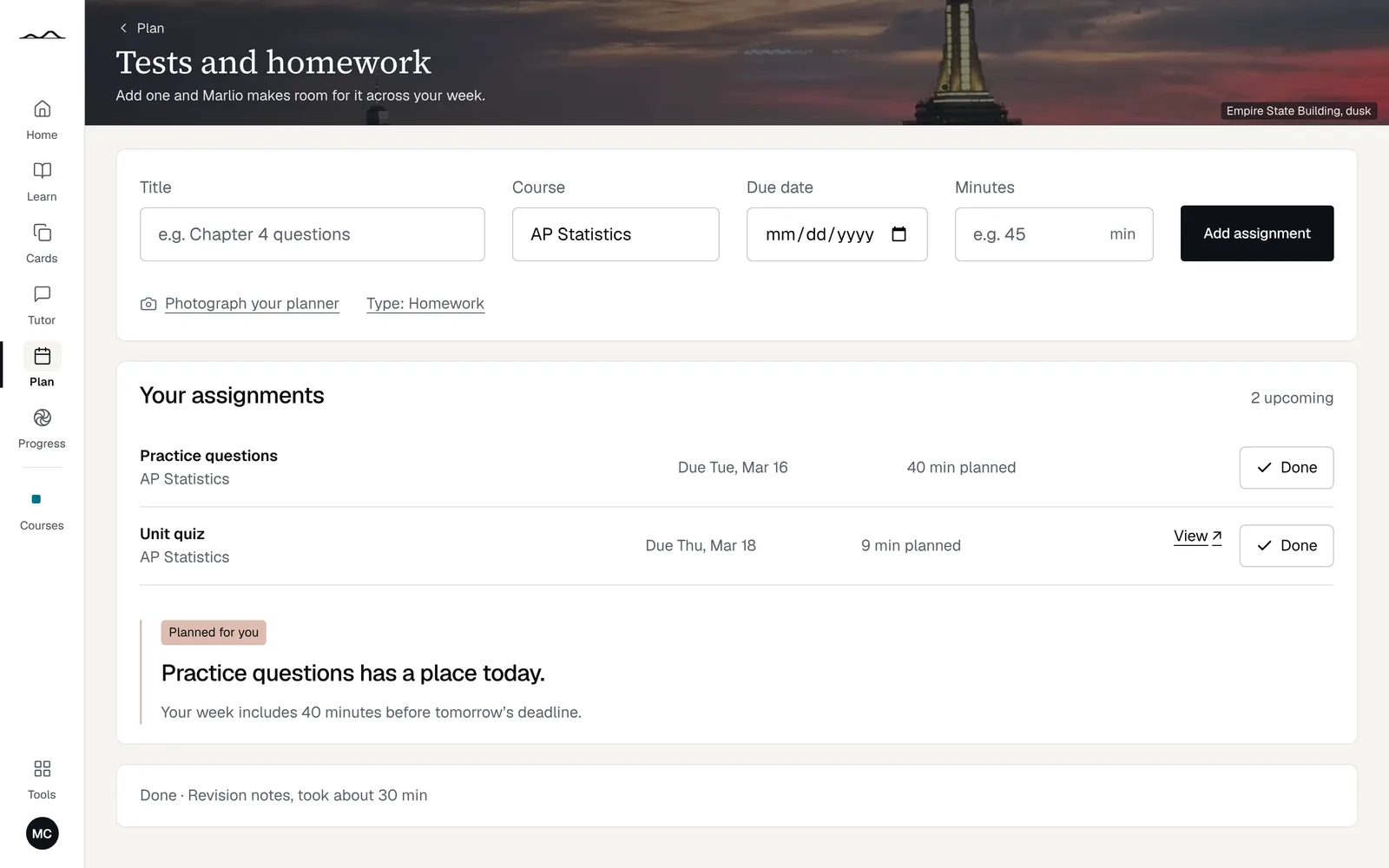
Add a test or homework with its course, its due date and its minutes, or “Photograph your planner”. Add one and Marlio makes room for it across your week.
04
Where your class is.
“Where your classes are”: each class's topic beside yours, on track, behind or ahead. “Change” sets where your class is, and moves, adds or cancels a lesson.
“My class covered this” on a class day in the week puts its catch-up into the days ahead.
05
Move anything, and undo it.
Each item's menu: “Move to another day”, “Not tonight”, and for a lesson “Had it in class”. “Rebuild my week” plans the week again. Each says what it did, with “Undo”.
06
In your own calendar.
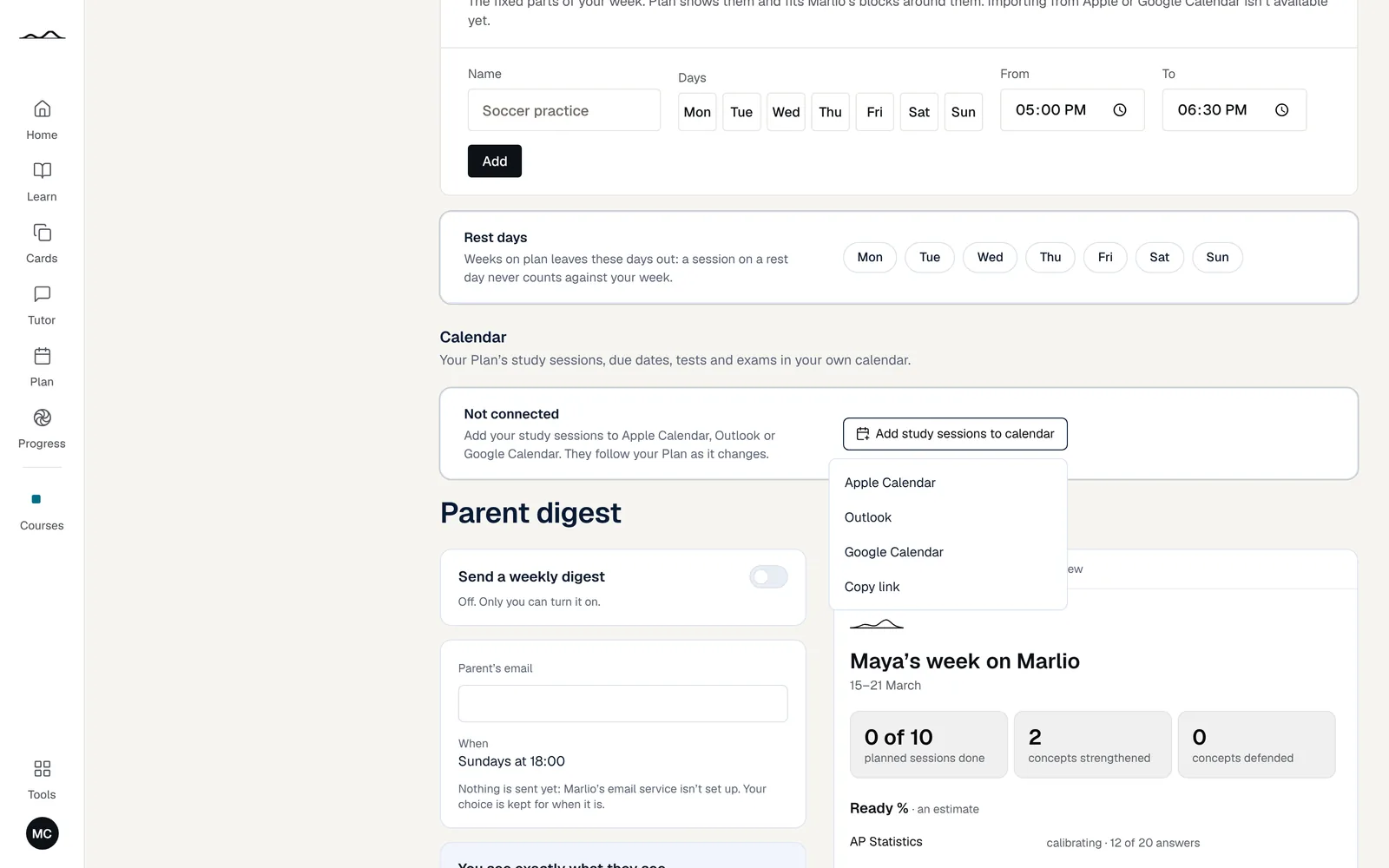
“Add study sessions to calendar” in Settings, Schedule. Add your study sessions to Apple Calendar, Outlook or Google Calendar. Your sessions follow the Plan as it changes. Your calendar app checks for changes on its own schedule.
Sessions are sized from how fast you have learned so far: 15 to 60 minutes a concept.
Questions.
- Which calendars?
- Apple Calendar, Outlook and Google Calendar, from “Add study sessions to calendar” in Settings, Schedule.
- Does my calendar update when the Plan changes?
- Yes, from the same feed. Your calendar app checks for changes on its own schedule.
- How long is a session?
- Sessions are sized from how fast you have learned so far: 15 to 60 minutes a concept.
- What if I miss a day?
- Miss a night and Plan fits it into the days ahead. All it says is “Updated to fit”. Nothing counts against you.